
What is connected?
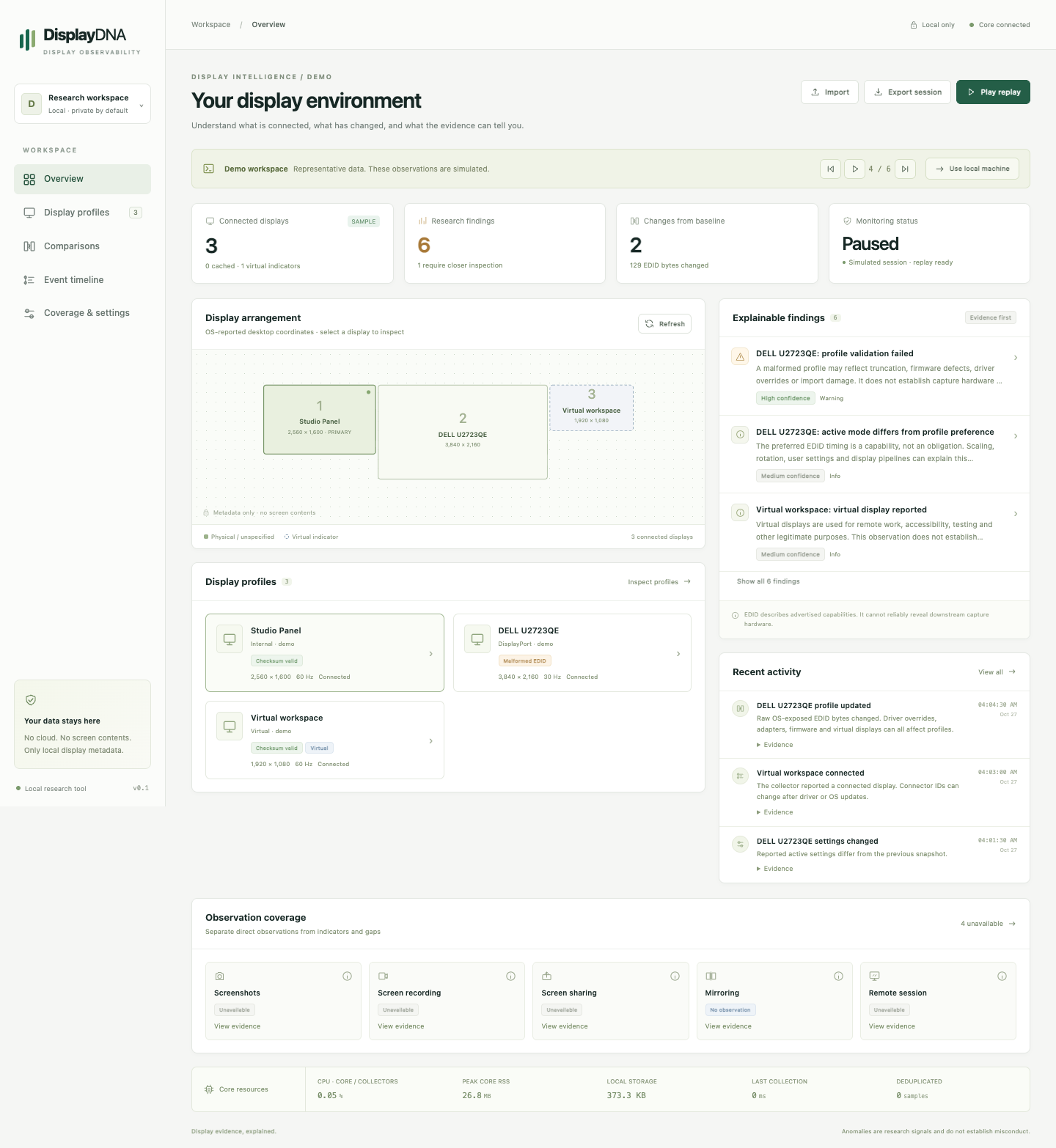
Inspect identities, connection sources, active modes and relative monitor positions. Keep live and cached profiles apart.
See collector coverageDISPLAY DIAGNOSTICS & EDID ANALYSIS
Inspect display profiles. Understand changes.
Keep the evidence—and its limitations—in view.
Readable fields alongside the original bytes.
A DISPLAY HAS MORE THAN A NAME
See your layout, profile integrity, timeline and evidence in one calm workspace. Then inspect the exact fields and bytes behind a change.
FROM SIGNAL TO CONTEXT
A display profile describes capabilities. Active settings describe the current configuration. DisplayDNA keeps that distinction visible.
Inspect identities, connection sources, active modes and relative monitor positions. Keep live and cached profiles apart.
See collector coverageCompare snapshots with a baseline. Review profile bytes, readable fields, settings and topology side by side.
Build your baselineOpen the evidence behind each finding. Confidence and source travel with the observation, including what cannot be detected.
Interpret a findingA RECORD, NOT A VERDICT
Save snapshots locally, export a session, and replay the sequence. A changed EDID can have ordinary explanations: a dock, a driver, a user setting, or an override.
Understand EDID and its limitsTwo displays. Profile bytes preserved.
60 Hz → 30 Hz · settings observation
Inspect readable fields and raw byte offsets.
ONE CORE. DIFFERENT SOURCES.
CoreGraphics, I/O Registry and System Profiler. Apple Silicon EDID transport profiles included.
WMI profiles, registry cache and user32 layout. Native Windows hardware validation is still pending.
DRM connector metadata and optional X11 layout. Wayland geometry is currently unavailable.
A FEW USEFUL ANSWERS
No. The default collectors read display and session metadata. They do not capture screen contents, inspect process lists, or upload display data.
No. Reliable system-wide screenshot, recording and screen-sharing detection is not implemented. EDID alone cannot reliably reveal downstream capture hardware. Unavailable telemetry stays unknown.
No. Display changes have many ordinary explanations. DisplayDNA is a research and diagnostics tool; anomalies do not establish intent or misconduct.
No cloud account is needed to run the beta. The current beta download is free. Your application history stays in a local SQLite database.
START WITH THE EVIDENCE
Try the beta. Keep your data on your machine.
Download DisplayDNA Windows · macOS · Linux